Give a new browser game one honest attempt
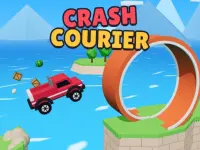
A new arrival is easiest to judge when you give it enough time to show what it asks you to do. The thumbnail may show a car in midair, while the first useful skill is learning where to land. An obstacle course may look slow until you realize that the same jump gets harder when you approach it from a different angle. Open one title that catches your eye, check the controls, and play the opening challenge long enough to describe it in your own words.
Read the opening as an invitation to experiment
You can get a lot out of the first minute if you try two different inputs on purpose. Run toward a gap once and stop just before it the next time. In a driving game, try holding the steering input and then use two brief presses. Watch how much ground you cover or how quickly the view changes. This tiny experiment is useful even if the opening level looks easy. It tells you how much time you will have to react once the course becomes crowded.
If you are browsing on a touchscreen, see where the controls sit before taking on a busy section. A game may leave plenty of space between its buttons, or it may require both hands from the start. On a keyboard, check which actions you will need together. Comfortable controls make a difference on a short break, especially if you want to move between several games. Give yourself time to learn a more demanding layout when you have a longer session.
Try a familiar genre and a wildcard
Choose one arrival that fits your usual taste and another that gives you a different kind of decision. If your first choice is a car game, use Racing Games to compare it with a familiar driving challenge. For your second choice, browse Puzzle Games and look for a title that gives you time to plan. You may discover that what you liked about both was the opportunity to try a new approach after a setback.
When two new titles look similar, pay attention to what each one makes you practice. One may reward repeating a move until it feels smooth. Another may put a different obstacle in your path every round. If you want to see how a game feels after more than one attempt, write down the title or keep the tab available. The Played Games page is another place to look when you want to return to a game you recently opened.
End the browsing session with a game you actually want to play again. A useful sign is that you can name the next thing you want to try, such as getting past a bend with more speed, placing a piece in a different order, or taking the longer path to see where it goes. Follow that idea while it is still fresh. The new arrivals will be here when you are ready to look for another challenge.