Android Games
Choose a game that fits the controls on your Android device
The Android tag is a useful place to start when you open Pokio from an Android phone or tablet. Check the game screen before you commit to a round. Look at which controls are visible, where the game puts its instructions, and whether the part you need to watch stays clear while you touch the screen. The tag brings together several kinds of game, and the way they feel can vary with the device, browser and size of the display. A brief trial is the best way to see whether the game suits the way you want to play.
Check what a drawn line does before making a longer one
In Draw Path to Finish, you draw a line that becomes a route for a moving platform. Start by looking at the beginning and end of the path. If your finger hides part of the screen, check the area before you begin to draw. Leave space between the line and the obstacles you can see clearly. After you finish, watch how the platform follows the route. If it has trouble at a particular point, redraw that portion with a simpler shape instead of changing the entire path.
Use an opening race to learn the view
Animal Kart is a side-scrolling racer with a cast of cartoon animals. Give the first track enough time to show how quickly the view moves. Look for the point where a new part of the course becomes visible and decide which controls you need to keep within easy reach. If you have to move your grip mid-race, use the next attempt to see whether a different position leaves more of the course visible. A comfortable grip helps when you want to watch the next part of the track for longer than a moment.
Try a puzzle when you want fewer rapid inputs
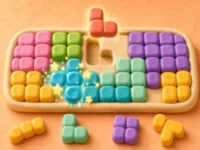
Candy Shop 3D Match Puzzle asks you to tap three identical candies to collect them. Look closely at the shapes you can distinguish on your screen. If two pieces seem similar, wait until you can tell whether they belong to the same group. You may want to select one you can clearly recognize first and find the other two around it. A puzzle like this gives you a reason to notice the size and spacing of objects rather than testing how quickly you can move a vehicle through a course.
Move between games if one of them asks for more screen space than you want to use. On a tablet, you may prefer having more of the view available around the controls. On a phone, a game with recognizable shapes can be easier to read in a short session. If you have time, play the opening twice and see whether familiarity changes what felt awkward. When you find a browser game comfortable to use, choose one part of it you would like to finish before moving on to another game in the list.