HTML5 Games
Pick a browser game by what the first screen asks you to do
The HTML5 tag covers games that run in a browser and can look very different once you open them. Some start with a diving mission, some give you an action you can try with one input, and others let you sit with a layout and work out your next move. Use the first screen to check which controls are available on your device. Look at how much room the game gives you to see the scene and whether the instructions are easy to read at your current window size.
Read the view before starting a 3D trip
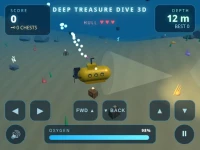
Deep Treasure Dive 3D puts you in a submarine heading toward chests on a reef. Pay attention to how the view changes as you move near an object. The treasure may be the reason to go deeper, but learning to tell whether you are moving toward a surface or around it makes the course easier to understand. Choose a short trip for your first attempt and remember one landmark you could use to find the same area again. That gives you a starting point for deciding how far you want to go during another session.
Test the difference between touching and holding
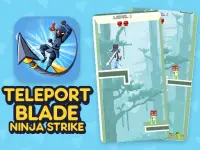
In Teleport Blade: Ninja Strike, the blade marks the place the character will move to after a throw. Watch where the action ends and which parts of the screen stay in view. If you are trying the game on a device you do not usually play on, leave space to see what a brief input does before you use it in a busy moment. A game that asks for few controls can still make placement important. The opening is a chance to see which details you need to track as soon as the character moves.
Use a slower game when you want to think between inputs
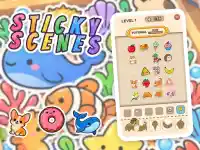
Sticky Scenes uses a board of stickers and a row of spaces below it. Before selecting a sticker, check what you are trying to fit and how much space you have for the following choice. Look at the pieces you have already moved as well as the ones left on the board. If you enjoy working through a plan at your own pace, this kind of game gives you a different reason to keep the tab open than a fast action title.
Try another game when the first one does not fit your available time or controls. A browser game can give you several useful ways to spend a break, from practicing one move to working through a puzzle with several steps. Check the individual game for what it offers on the screen you have right now. You can return to this tag when you want a different kind of decision or when you have time to give a more involved opening a proper try.
When a title has several control options, read them before you start so your first move has the effect you expect.