IPad Games
Find an iPad game that makes good use of the screen
The iPad tag is a place to start when you want to play on a tablet. Choose a game according to what you would like to do with the extra room. You can study a puzzle before acting, inspect a group of upgrades, or follow a party through an adventure. On the first screen, check how the game fits the orientation you are using. Look for the information you want to keep in view when you touch the controls. A layout that lets you see the result of each input makes a new game easier to learn.
Trace a route before turning the puzzle
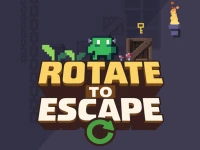
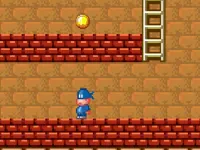
Rotate to Escape sends you through dungeon levels to find a key and get out. Look at the key, the exit and the space between them before making a move. If the layout changes when you turn it, use a fixed feature as a reference. You can follow the position you wanted to reach even when the route looks different on screen. Take time to view each new layout before using the same motion that helped on the previous one. The first move is often a chance to see what the level keeps in place and what it lets you change.
Give yourself a target before you start tapping
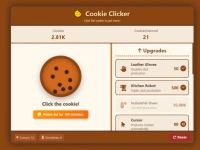
In Cookie Clicker, you tap a large cookie to earn cookies and spend them on upgrades. Decide whether you want to buy the first useful upgrade or wait to compare a few options. Watch how the total changes after each choice. It can be satisfying to see which purchase changes what you do next. If the game displays more than one number, keep track of what you can spend and how quickly you earn it. A short visit can be enough to reach a purchase you chose in advance.
Follow an adventure without covering the clues
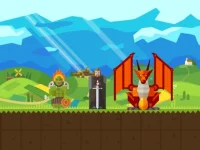
Treasure King Adventure gives you a party of adventurers and dungeons to explore. On the tablet, look at what the game shows about the team before you head farther in. When a prompt appears, check whether it explains something that will also apply in the next area. Keeping the important directions in view can help when you start to recognize places and choose where to go. If you are holding the tablet, try a position that makes it comfortable to look over the whole scene between inputs.
Before you settle into a longer session, decide what you would like to see through. In a dungeon puzzle it can be one exit, in a clicker one upgrade, and in an adventure one stretch of exploration. Give yourself a chance to reach that point and then check whether the game still feels easy to read and control. If it fits, continue into the next stage. If you want a different pace, return to the tag and choose a game that will let you spend your time in another way. Use the screen layout as part of that choice.